 内容提供者
内容提供者

C#高级编程性能监视.doc
 2024-09-12
 15金币
15金币
 103KB
103KB
 7页
7页

qw****27
 实名认证
内容提供者
实名认证
内容提供者


在线预览结束,喜欢就下载吧,查找使用更方便
相关资料

C#高级编程性能监视.doc
性能监视可以用于获取正常运行的服务的信息。性能监视是一个很好的工具,它能帮助我们了解系统的工作负荷,观察变化及趋势。Windows2000有许多性能对象,例如System、Memory、Objects、Process、Processor、Thread和Cache等。这些对象都有许多的监视点。例如,使用Process对象,可以监视所有进程或某一具体进程的用户时间、句柄数、页错误和线程数等。一些应用程序也添加具体的对象,例如SQLServer。对于QuoteService示例应用程序而言,要获取的信息是客户请
2024-09-12
15
103KB

C#高级编程.ppt
第八章目标继承2-1狗继承C#中的类演示演示用于从派生类中访问基类成员可以使用base关键字调用基类的构造函数调用base构造函数演示关键字override关键字virtual//将执行派生类的变量classStudent{publicvirtualvoidStuInfo(){Console.WriteLine(“此方法显示学生信息");}}抽象类和抽象方法2-1abstractclassBase{//成员变量intbasevar;//成员函数abstractvoidbase_fun1(parameter
2024-08-14
10
1.3MB

C# 高级编程 认证考试.doc
为了设置线程t1的执行优先级,需访问t1的(A)属性。PriorityIsAliveIsBackgroudThreadState在托管环境中创建线程后、调用start之前,该线程处于(A)状态。UnstartedRunningWaitSleepJoinStopped有两个正在运行的线程A、B。为了终止线程B,应在线程A中执行:(A)。B.Abort();B.Interrupt();B.Join();B.Suspend();有两个正在运行的线程A、B。为了在线程B结束前阻塞线程A,应在线程A中执行:(C)。
2024-09-12
15
132KB
C#面向对象的高级编程.ppt
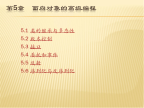
第5章面向对象的高级编程5.1类的继承与多态性封装举例:5.1.1基类和扩充类5.1.1基类和扩充类5.1.5继承过程中构造函数的处理(1/2)5.1.1基类和扩充类【例5-1】基类和扩充类的定义及用法。5.1.5继承过程中构造函数的处理(2/2)5.1.2多态性5.1.2多态性5.1.2多态(续)虚拟方法与重写举例5.1.2多态(续)5.1.2多态(续)5.1.2多态(续)5.1.3抽象类5.1.4密封类5.2版本控制5.2版本控制C#面试题-读程序写结果C#面试题-读程序写结果5.3接口5.3接口委托
2024-08-28
20
2.3MB

学习C#高级编程之XML.pdf
学习C#⾼级编程之XMLXML指可扩展标记语⾔XML被设计⽤来传输和存储数据。XML被设计⽤来结构化、存储以及传输信息。-----------------------------xml⽂档<note><to>George</to><from>John</from><heading>Reminder</heading><body>Don'tforgetthemeeting!</body></note>这个XML⽂档仍然没有做任何事情。它仅仅是包装在XML标签中的纯粹的信息。我们需要编写软件或者程序,才能传送
2024-03-27
10
439KB
